 Castmorphic Quiet
Record your voice. Get clean audio in one click.
A simple voice recorder for Linux. Press the big button, talk, and press stop. No more fiddling around in Audacity.
- Runs as an AppImage
- No account, no sign-in
- Your original recording is never changed
What it does
Record
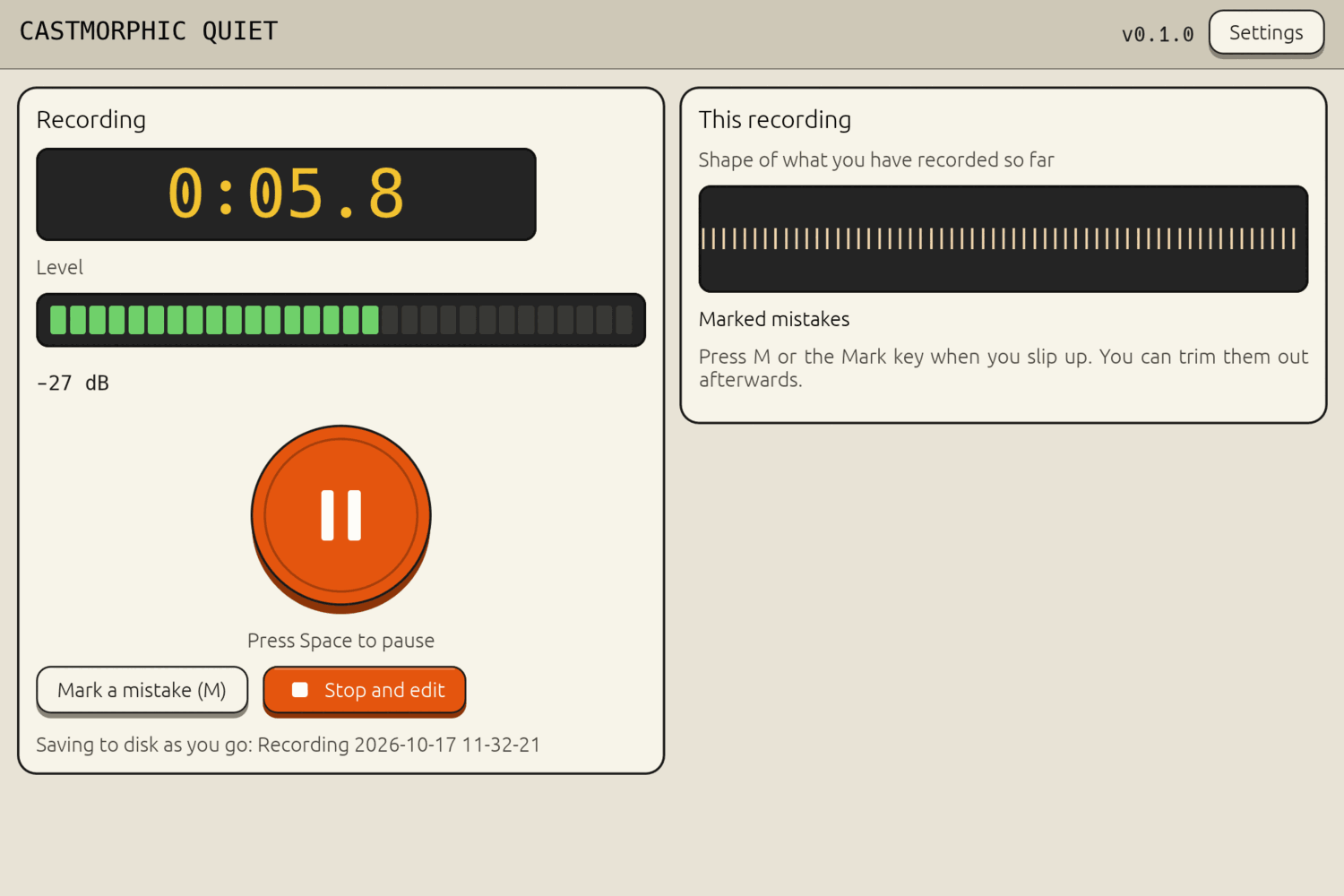
A big record button, and the space bar starts and pauses. A lamp meter turns red when you are too loud. Press M to mark a mistake as you go. Background noise is removed while you record, and the recording is saved to disk as you talk, so a crash does not lose your take.
Clean up in one click
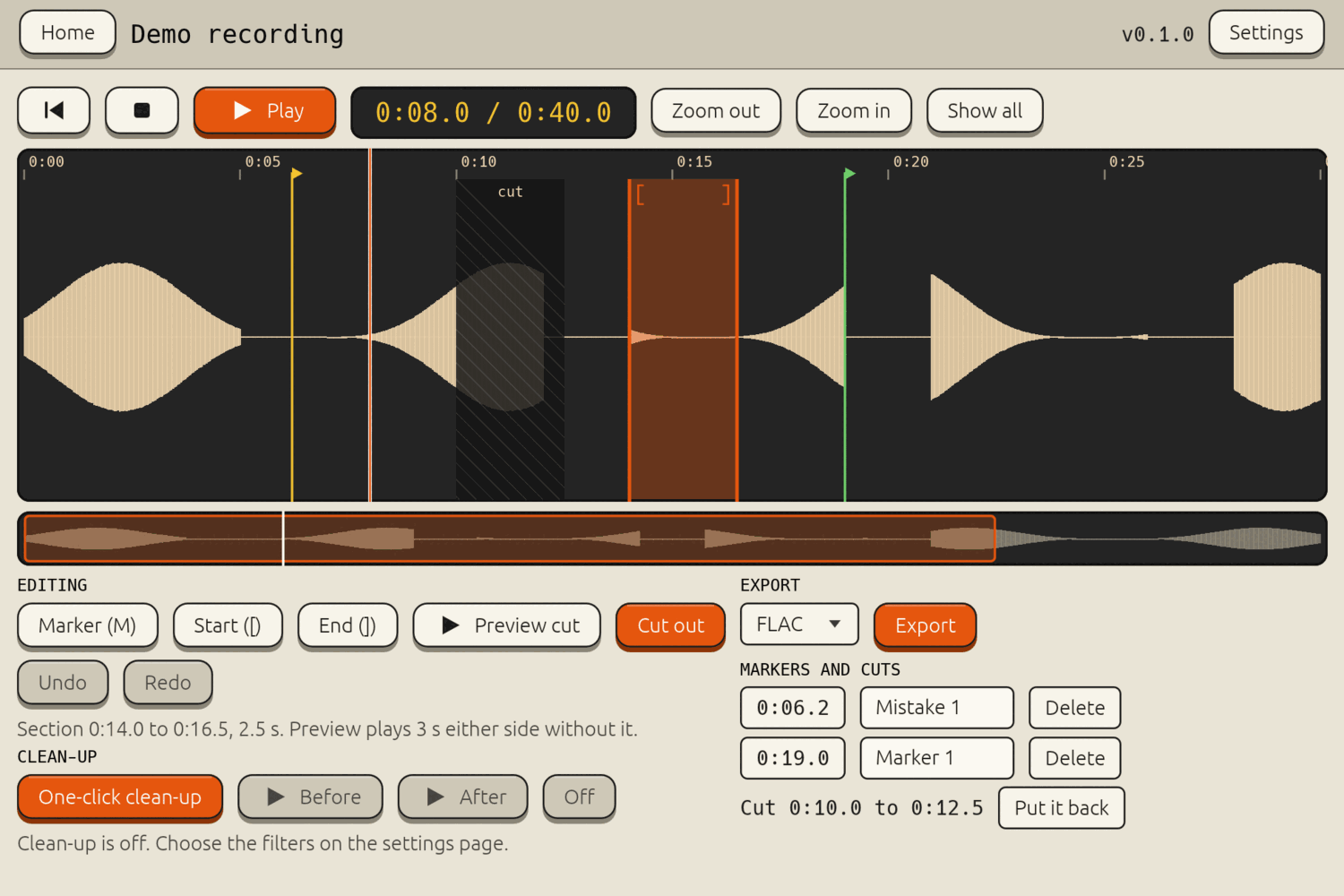
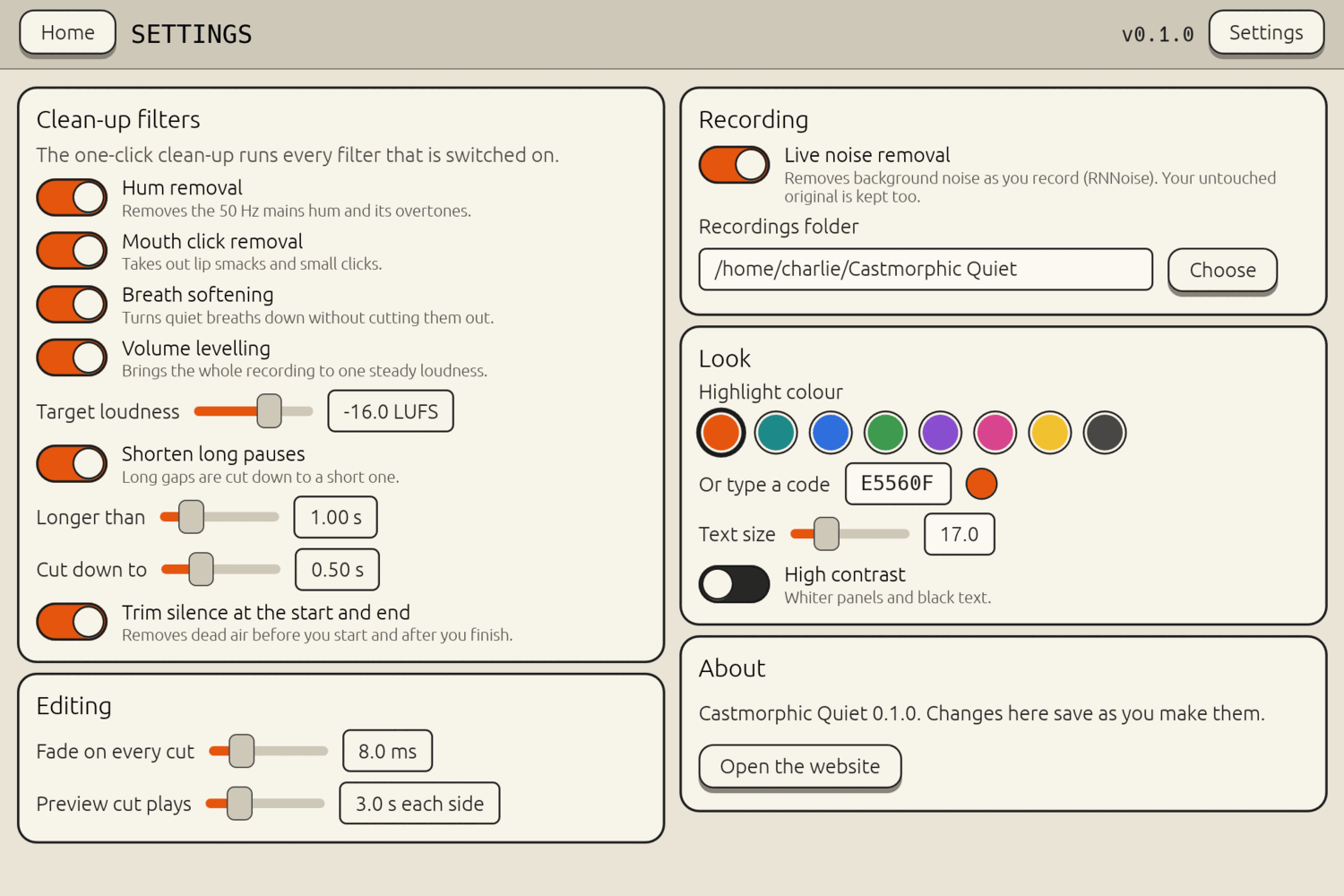
One button removes mains hum, mouth clicks and harsh breaths, levels the volume to a loudness you choose, shortens long pauses and trims the silence at each end. Each filter has its own switch, and you can play before and after to compare.
Edit with confidence
Zoom the waveform with the mouse wheel or the buttons. The view follows playback. Pick a section, preview the cut with a few seconds either side, then cut it. Every join has a tiny fade, so nothing clicks. Undo and redo as much as you like.
Safe by design
Your original audio is kept untouched inside the project file. Cuts and clean-up are applied to a copy and can be switched off at any time. Edits save as you make them.
Export
Choose FLAC, MP3, OGG, WAV or Opus from a list. The app remembers your last choice.
Made to be read
Large, clear controls, keyboard shortcuts for the main jobs, a text size setting, a high contrast option and a highlight colour you choose.
Screens
Download
Version 0.1.0 for 64-bit Linux. Make the file runnable, then open it:
chmod +x Castmorphic-Quiet-0.1.0-x86_64.AppImage
It needs PipeWire for the microphone, which current Linux desktops include. FFmpeg is bundled, and the app keeps it up to date by itself, so you do not need a new app version for that. A small dot appears beside the version number when a newer app version is ready.
What the app sends: it asks this site for one small file to see whether a newer version exists. Your recordings and details never leave your computer.